14 October 2026
Wrong Phone Number in a Dozen Directories? Fix Your Listings
An old number here, a wrong postcode there: inconsistent business data confuses Google and sends customers to the wrong door. Here is how to clean it up.
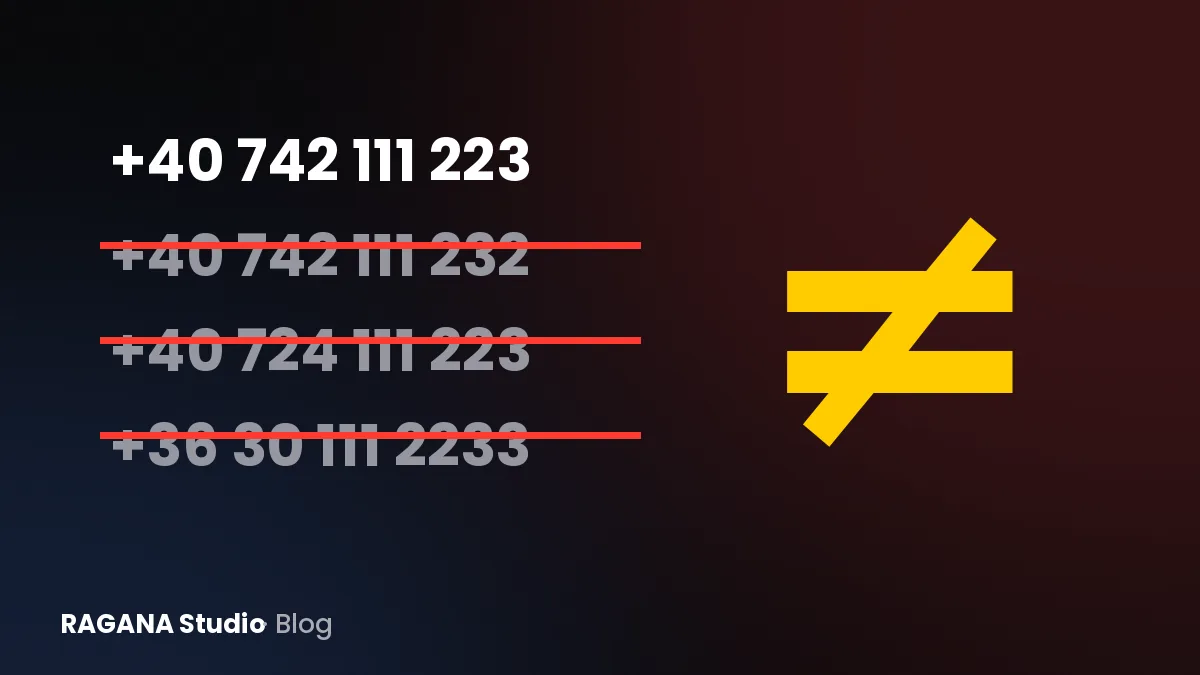
Search your business name and click through the first two pages of results. Somewhere there is probably a directory listing with an old phone number, a former address, or your company name spelt three different ways. You may never have created those listings yourself. They still talk about you, and both Google and your customers are listening.
In local search this is called NAP consistency: Name, Address, Phone. It sounds dull, but it is one of the most practical things a business can fix, and it costs nothing except an afternoon.
Why inconsistent data hurts you
Google tries to build a reliable picture of every local business. It compares your Google Business Profile, your website and what other sites say about you. When those sources disagree, Google has to guess which one is right, and it may trust you less.
Customers are affected more directly:
- They call a dead number from an old listing and assume you have closed.
- They drive to your previous address, especially if a map app picked up the wrong one.
- They find two different opening hours and do not know which to believe.
- They see two businesses with similar names and are not sure which one is you.
None of these people will complain. They will just go to a competitor.
The expat and cross-border version of the problem
If you run a business as a foreigner in Romania, Hungary or Austria, there are a few extra traps I see regularly:
- Street formats. "Strada Mihai Eminescu 5", "Str. M. Eminescu nr. 5" and "Eminescu Street 5" can all refer to the same place, but they do not look the same to a computer. In Hungary, "Fő utca" may appear as "Fo u." without accents. In Austria, "Straße" turns into "Strasse" or "Str.".
- Phone formats. Pick one international format, such as +40, +36 or +43 followed by the number, and use it everywhere.
- Company name versus trading name. The registered name with "SRL", "Kft." or "GmbH" is often different from the name on your sign. Decide which one customers should see and use it consistently on your profile and website.
- Translated names. If your business has an English and a local name, choose one main name. Translating it differently on every platform creates confusion.
A real example: one wrong postcode
The clearest example I can share is La Lavinia in Arad. The Google listing had a wrong postcode and the profile was not claimed by the owner. We corrected the postcode, claimed the profile and launched a new website with matching data. Within two days the business appeared correctly on Google Maps. The full story is in the La Lavinia case study. It is a small detail, but it shows how sensitive maps are to basic data.
How to clean up your business data, step by step
Decide on your master version
Write down, in one document, exactly how your business should appear: name, street, number, postcode, town, phone number in international format, website address, email and opening hours. This is your reference. Every listing should match it character for character where possible.
Start with the sources that matter most
- Your Google Business Profile. Claim it if you have not, and make sure every field matches your master version. If you need help, my guide to local SEO explains how the profile, your website and reviews work together.
- Your website. The footer and contact page should show exactly the same data, as text, not as an image.
- Apple Maps and Bing. Both have business listing tools and are used more than many people think.
- Social media profiles. Facebook, Instagram and LinkedIn all have address and phone fields.
Then hunt down the old listings
Search for your old phone number and old address in quotation marks. This often reveals directories you had forgotten about. Search your business name with your town, and with variations of the name. Keep a simple list: website, what is wrong, login available or not, date you requested a change.
For each listing, either log in and correct it, use the directory's "suggest an edit" function, or contact the site and ask for a correction or removal. Some will react quickly, some never. Focus your energy on the ones that appear on the first page of Google for your name.
Do not create duplicates
If you find two Google profiles for the same business, do not simply create a third. Duplicate profiles split reviews and confuse Google. Google offers ways to report duplicates and request that they be merged or removed.
Keep it clean afterwards
Moving, changing your number or adjusting opening hours? Update your master document first, then your Google profile and website on the same day, then the other listings. Put a reminder in your calendar to search for your business name every few months. It takes ten minutes and catches problems early.
Your website plays a quiet but important role here: it is the one source you fully control. A clear contact page with your data as text, a link to your Google profile and a map makes it easier for Google to connect the dots. If you also want AI assistants to describe you correctly, consistent data helps there too; I explain more on my page about AI search visibility.
Your 10-minute self-check
- Search your business name on Google and Google Maps. Does every detail match?
- Search your old phone number in quotation marks. Does it still appear somewhere?
- Compare the address in your website footer with your Google profile, character by character.
- Check whether your Google profile is claimed and you can log in.
If you find a mess and do not know where to start, ask for my free check through the contact form. Within 24 working hours I send a short PDF showing how you appear on Google Maps and in search, how fast your site is on a phone, and three concrete fixes. If you only need the profile sorted, setting up a Google Business Profile on its own costs 199 €.
Want a website that brings you customers?
Send me the name of your business. I'll reply with a free check of your Google profile.